



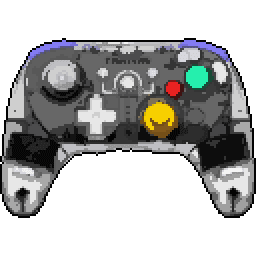
BattlerGC Pro


BattlerGC Pro Input lag comparison
| # | Connection | Mode | LatencyAverage (ms) | Polling RateMedian (Hz) | Jitter | OSBuild ver. | FWTester ver. | |
|---|---|---|---|---|---|---|---|---|
| Latency P82 | ||||||||
1 | Bluetooth PRIMARY | Switch | 17.0 11.1 | 144.87 | 5.81 3.52 | Win 11 10.0.26100 | --- 5.2.3.1 | |
Stick LatencyP82 ✓ Selected 6.99 ms 11.07 ms 27.66 ms 3.52 ms 144.87 Hz | ||||||||
2 | Cable PRIMARY | XInput | 18.6 16.0 | 119.13 | 2.85 2.81 | Win 11 10.0.26100 | --- 5.2.3.1 | |
Stick LatencyP82 ✓ Selected 10.63 ms 15.96 ms 21.85 ms 2.81 ms 119.13 Hz | ||||||||
3 | Dongle PRIMARY | XInput | 28.5 21.9 | 75.36 | 7.11 5.12 | Win 11 10.0.26100 | --- 5.2.3.1 | |
Stick LatencyP82 ✓ Selected 13.4 ms 21.92 ms 37.54 ms 5.12 ms 75.36 Hz | ||||||||
4 | Dongle | Sony | 27.4 23.2 | 74.66 | 6.42 5.67 | Win 11 10.0.26100 | --- 5.2.3.1 | |
Stick LatencyP82 14.27 ms 23.18 ms 42.88 ms 5.67 ms 74.66 Hz |
Latency
Our visualization focuses on Average Latency, presented as vertical bars to make comparing performance across different connection modes (Wired, Bluetooth, Dongle) instant and intuitive.
The chart differentiates between:
- Button Latency: How quickly the game registers a physical button press.
- Stick Latency: The delay in registering joystick movement (tested at 99% deflection).
Visualizing Stability (Jitter)
You may notice that the top portion of some bars is semi-transparent or "faded". This represents Jitter (instability):
- Solid Bar: Represents the stable, consistent average latency.
- Faded Top: Indicates the variance. A larger transparent area means higher jitter, implying the controller's response time fluctuates. A solid bar with little to no fading indicates a highly stable connection.
Deep Dive: Click the arrow to reveal Probability Distribution Charts. These show the exact breakdown of every input tested, displaying Probability (%) on the Y-axis and Latency (ms) on the X-axis.
Polling Rate vs. Latency
It is crucial to understand that Polling Rate and Latency are measured using two entirely different methodologies on our site:
- Latency (ms) is measured by the Prometheus 82 hardware. It captures the physical movement of the stick or button via hardware interrupts with microsecond precision. This is the "real-world" delay.
- Polling Rate (Hz) is measured via a Software Tool. It shows how often the OS receives reports from the USB stack.
Common Myth: A higher polling rate (like 8000 Hz) does not automatically guarantee lower latency if the controller's internal processing is slow. Conversely, a high polling rate on a chart might show fluctuations (e.g., 7800Hz instead of 8000Hz) due to OS jitter or CPU scheduling, which does not necessarily impact the hardware latency measured by the P82.
To test your own gamepad's polling rate, you can use our tool: Download Polling Rate Tester.
Testing Methods
Gamepadla ensures data integrity by combining three distinct testing methodologies:
-
Prometheus 82 (P82): Our gold standard. A custom-built hardware device that physically actuates buttons and sticks. It uses high-speed hardware interrupts to capture events, making it independent of the controller's polling rate. It provides an error margin of only ±1ms for buttons and sticks. View on GitHub.
-
GPDL Tester: An electrical monitoring tool for highly accurate button latency. While P82 simulates human-like mechanical movement, GPDL focuses on the electrical signal speed. View on GitHub.
-
Software Polling Test: A pure software diagnostic to check communication frequency. We use this to verify if a controller actually reaches its advertised specs (e.g., 1000Hz or 8000Hz) at the OS level. Download Software.
Note: By comparing hardware-level latency (P82) with software-level reports (Polling Test), we can identify if a controller has "fake" high polling rates or poorly optimized firmware.
Stick test of BattlerGC Pro
Stick Movement Linearity Test
BattlerGC Pro specifications
Internal
External
Features
Connection
Software
Platforms


User comments
It's not a perfect replica of the original Gamecube controller, but I'm still pretty happy with it. It's a reliable third-party option that gets the job done, and I appreciate the solid build quality.
solid build quality's nice, but is it worth the cash when there's OG Gamecube controllers still floating around?
I was expecting pro-level features from the BattlerGC Pro, but it's missing one key thing: analog triggers. What's the point of being a pro controller if you're not giving us the same feel as the original?
Analog triggers are exactly what it has though