



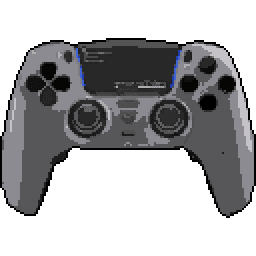
Hexgaming Phantom




Hexgaming Phantom Input lag comparison
| # | Connection | Mode | LatencyAverage (ms) | Polling RateMedian (Hz) | Jitter | OSBuild ver. | FWTester ver. | |
|---|---|---|---|---|---|---|---|---|
| Latency P82 | ||||||||
1 | Cable PRIMARY | Sony | 8.11 25.3 | 250 | 1.15 1.16 | Win 11 10.0.26200 | --- 5.3.0.2 | |
Stick LatencyP82 ✓ Selected 23.14 ms 25.27 ms 27.78 ms 1.16 ms 250 Hz | ||||||||
2 | Bluetooth PRIMARY | Sony | 8.26 24.0 | 524.61 | 6.74 3.32 | Win 11 10.0.26200 | --- 5.3.0.2 | |
Stick LatencyP82 ✓ Selected 21.98 ms 23.95 ms 40.03 ms 3.32 ms 542.7 Hz | ||||||||
| Button Latency GPDL | ||||||||
3 | Cable OC | Sony | 4.69 | 989.48 | 0.42 | Win 11 10.0.26100 | 0520 3.0.9.3 | |
4 | Bluetooth | Sony | 5.43 | 736.11 | 1.99 | Win 11 10.0.26100 | 736.11 3.0.9.3 | |
5 | Cable | Sony | 12.2 | 249.96 | 1.24 | Win 11 10.0.26100 | 0520 3.0.9.3 | |
Latency
Our visualization focuses on Average Latency, presented as vertical bars to make comparing performance across different connection modes (Wired, Bluetooth, Dongle) instant and intuitive.
The chart differentiates between:
- Button Latency: How quickly the game registers a physical button press.
- Stick Latency: The delay in registering joystick movement (tested at 99% deflection).
Visualizing Stability (Jitter)
You may notice that the top portion of some bars is semi-transparent or "faded". This represents Jitter (instability):
- Solid Bar: Represents the stable, consistent average latency.
- Faded Top: Indicates the variance. A larger transparent area means higher jitter, implying the controller's response time fluctuates. A solid bar with little to no fading indicates a highly stable connection.
Deep Dive: Click the arrow to reveal Probability Distribution Charts. These show the exact breakdown of every input tested, displaying Probability (%) on the Y-axis and Latency (ms) on the X-axis.
Polling Rate vs. Latency
It is crucial to understand that Polling Rate and Latency are measured using two entirely different methodologies on our site:
- Latency (ms) is measured by the Prometheus 82 hardware. It captures the physical movement of the stick or button via hardware interrupts with microsecond precision. This is the "real-world" delay.
- Polling Rate (Hz) is measured via a Software Tool. It shows how often the OS receives reports from the USB stack.
Common Myth: A higher polling rate (like 8000 Hz) does not automatically guarantee lower latency if the controller's internal processing is slow. Conversely, a high polling rate on a chart might show fluctuations (e.g., 7800Hz instead of 8000Hz) due to OS jitter or CPU scheduling, which does not necessarily impact the hardware latency measured by the P82.
To test your own gamepad's polling rate, you can use our tool: Download Polling Rate Tester.
Testing Methods
Gamepadla ensures data integrity by combining three distinct testing methodologies:
-
Prometheus 82 (P82): Our gold standard. A custom-built hardware device that physically actuates buttons and sticks. It uses high-speed hardware interrupts to capture events, making it independent of the controller's polling rate. It provides an error margin of only ±1ms for buttons and sticks. View on GitHub.
-
GPDL Tester: An electrical monitoring tool for highly accurate button latency. While P82 simulates human-like mechanical movement, GPDL focuses on the electrical signal speed. View on GitHub.
-
Software Polling Test: A pure software diagnostic to check communication frequency. We use this to verify if a controller actually reaches its advertised specs (e.g., 1000Hz or 8000Hz) at the OS level. Download Software.
Note: By comparing hardware-level latency (P82) with software-level reports (Polling Test), we can identify if a controller has "fake" high polling rates or poorly optimized firmware.
Stick test of Hexgaming Phantom
Stick Movement Linearity Test
Linearity test for Hexgaming Phantom • Firmware 0520 • Stick Analyzer 2.0.3.0 • Cable connection • Dualsense mode • Manual Input. Uploaded, by Daniel B
Stick Motion Resolution Analysis
This test evaluates the analog stick's ability to register unique positions during a controlled, linear motion from the center to the edge of its range. The analysis was conducted using the Line program, ensuring precise measurement of the stick's resolution, linearity, and response characteristics.
Data Points
Data Points represents the total number of unique positions registered during the smooth movement of the stick from center to edge. This includes both the stable analog values and positions affected by signal processing or jitter. In this test, we recorded 139 data points, which is a good result that ensures comfortable gameplay. For a more accurate assessment of stick precision, it's important to also consider the Straight Points metric, which filters out noise and signal processing artifacts.
Straight Points
Straight Points represent the number of unique positions detected after filtering out tremor and signal processing artifacts during stick movement. This filtering process identifies points that follow a consistently increasing trajectory, showing the true analog values without noise. The test registered 121 straight points. This is an excellent result, indicating very smooth and precise stick movement. This value highlights the stick's ability to provide stable and reliable position data during smooth motion.
Resolution
Resolution in this test refers to two complementary measurements:
Total Resolution: 127 positions across the entire stick range. This number represents how many distinct positions the analog stick can detect from center to edge. This might result in somewhat stepped or less smooth movement
Step Resolution: 0.00784 per increment. This value represents the average size of each step between detected positions (smaller values indicate higher precision). It determines how smoothly the stick can transition between positions, which directly impacts precise aiming and subtle movements in games.
A high total resolution combined with a low step resolution provides the optimal experience for precise control in games requiring fine adjustments.
Tremor
Tremor percentage represents the amount of signal processing that occurs between raw stick movement and the final output. It is calculated as the percentage of data points that don't follow a consistently increasing trajectory. The test measured 12.9% tremor. This indicates very stable stick movement with minimal noise in signal processing. Different controllers have different signal processing characteristics, and lower tremor values typically indicate more direct translation of physical movement.
Linearity
Linearity represents how closely the stick movement follows an ideal linear path. It's calculated as 100% minus the nonlinearity percentage, where nonlinearity measures deviations from a perfectly straight line. The test measured 96.0% linearity. This indicates excellent stick linearity, providing consistent and predictable movement.
At the same time, a gamepad stick is not a perfectly linear mechanical system. The stick rotates around a pivot, the cap travels along an arc, and the sensor reads that rotational movement rather than a truly straight physical path. Because of this, a graph that bends slightly below the ideal straight line is often normal. In many cases, that lower arc-like bow reflects the real mechanics of the stick more faithfully than a response that was tuned mainly to look perfectly straight in this specific test.
What matters most is that the movement remains smooth, progressive, and predictable. A mild, even downward curve can be acceptable or even technically more natural, while sharp dips, waviness, uneven acceleration, or asymmetry still indicate worse response quality.
Test Duration
The time taken to complete the test was 7.32 seconds. This is an optimal test duration, providing reliable results. For the most accurate results, the stick movement should be smooth and controlled, typically taking between 5 and 8 seconds.
Linearity test for Hexgaming Phantom • Firmware 0520 • Stick Analyzer 2.0.3.0 • Cable connection • Dualsense mode • Manual Input. Uploaded, by Daniel B
Comment: This is the hall effect version, also this is the factory calibration
Stick Motion Resolution Analysis
This test evaluates the analog stick's ability to register unique positions during a controlled, linear motion from the center to the edge of its range. The analysis was conducted using the Line program, ensuring precise measurement of the stick's resolution, linearity, and response characteristics.
Data Points
Data Points represents the total number of unique positions registered during the smooth movement of the stick from center to edge. This includes both the stable analog values and positions affected by signal processing or jitter. In this test, we recorded 161 data points, which is an excellent result that indicates very precise stick movement registration. For a more accurate assessment of stick precision, it's important to also consider the Straight Points metric, which filters out noise and signal processing artifacts.
Straight Points
Straight Points represent the number of unique positions detected after filtering out tremor and signal processing artifacts during stick movement. This filtering process identifies points that follow a consistently increasing trajectory, showing the true analog values without noise. The test registered 121 straight points. This is an excellent result, indicating very smooth and precise stick movement. This value highlights the stick's ability to provide stable and reliable position data during smooth motion.
Resolution
Resolution in this test refers to two complementary measurements:
Total Resolution: 127 positions across the entire stick range. This number represents how many distinct positions the analog stick can detect from center to edge. This might result in somewhat stepped or less smooth movement
Step Resolution: 0.00784 per increment. This value represents the average size of each step between detected positions (smaller values indicate higher precision). It determines how smoothly the stick can transition between positions, which directly impacts precise aiming and subtle movements in games.
A high total resolution combined with a low step resolution provides the optimal experience for precise control in games requiring fine adjustments.
Tremor
Tremor percentage represents the amount of signal processing that occurs between raw stick movement and the final output. It is calculated as the percentage of data points that don't follow a consistently increasing trajectory. The test measured 24.8% tremor. This represents typical noise levels in stick signal processing. Different controllers have different signal processing characteristics, and lower tremor values typically indicate more direct translation of physical movement.
Linearity
Linearity represents how closely the stick movement follows an ideal linear path. It's calculated as 100% minus the nonlinearity percentage, where nonlinearity measures deviations from a perfectly straight line. The test measured 94.5% linearity. This indicates excellent stick linearity, providing consistent and predictable movement.
At the same time, a gamepad stick is not a perfectly linear mechanical system. The stick rotates around a pivot, the cap travels along an arc, and the sensor reads that rotational movement rather than a truly straight physical path. Because of this, a graph that bends slightly below the ideal straight line is often normal. In many cases, that lower arc-like bow reflects the real mechanics of the stick more faithfully than a response that was tuned mainly to look perfectly straight in this specific test.
What matters most is that the movement remains smooth, progressive, and predictable. A mild, even downward curve can be acceptable or even technically more natural, while sharp dips, waviness, uneven acceleration, or asymmetry still indicate worse response quality.
Test Duration
The time taken to complete the test was 9.59 seconds. This is an optimal test duration, providing reliable results. For the most accurate results, the stick movement should be smooth and controlled, typically taking between 5 and 8 seconds.
Linearity test for Hexgaming Phantom • Firmware 0520 • Stick Analyzer 2.0.3.0 • Cable connection • Dualsense mode • Manual Input. Uploaded, by Daniel B
Comment: Hall Effect Model, Self calibrated
Stick Motion Resolution Analysis
This test evaluates the analog stick's ability to register unique positions during a controlled, linear motion from the center to the edge of its range. The analysis was conducted using the Line program, ensuring precise measurement of the stick's resolution, linearity, and response characteristics.
Data Points
Data Points represents the total number of unique positions registered during the smooth movement of the stick from center to edge. This includes both the stable analog values and positions affected by signal processing or jitter. In this test, we recorded 129 data points, which is a good result that ensures comfortable gameplay. For a more accurate assessment of stick precision, it's important to also consider the Straight Points metric, which filters out noise and signal processing artifacts.
Straight Points
Straight Points represent the number of unique positions detected after filtering out tremor and signal processing artifacts during stick movement. This filtering process identifies points that follow a consistently increasing trajectory, showing the true analog values without noise. The test registered 121 straight points. This is an excellent result, indicating very smooth and precise stick movement. This value highlights the stick's ability to provide stable and reliable position data during smooth motion.
Resolution
Resolution in this test refers to two complementary measurements:
Total Resolution: 127 positions across the entire stick range. This number represents how many distinct positions the analog stick can detect from center to edge. This might result in somewhat stepped or less smooth movement
Step Resolution: 0.00784 per increment. This value represents the average size of each step between detected positions (smaller values indicate higher precision). It determines how smoothly the stick can transition between positions, which directly impacts precise aiming and subtle movements in games.
A high total resolution combined with a low step resolution provides the optimal experience for precise control in games requiring fine adjustments.
Tremor
Tremor percentage represents the amount of signal processing that occurs between raw stick movement and the final output. It is calculated as the percentage of data points that don't follow a consistently increasing trajectory. The test measured 6.2% tremor. This indicates very stable stick movement with minimal noise in signal processing. Different controllers have different signal processing characteristics, and lower tremor values typically indicate more direct translation of physical movement.
Linearity
Linearity represents how closely the stick movement follows an ideal linear path. It's calculated as 100% minus the nonlinearity percentage, where nonlinearity measures deviations from a perfectly straight line. The test measured 93.9% linearity. This indicates excellent stick linearity, providing consistent and predictable movement.
At the same time, a gamepad stick is not a perfectly linear mechanical system. The stick rotates around a pivot, the cap travels along an arc, and the sensor reads that rotational movement rather than a truly straight physical path. Because of this, a graph that bends slightly below the ideal straight line is often normal. In many cases, that lower arc-like bow reflects the real mechanics of the stick more faithfully than a response that was tuned mainly to look perfectly straight in this specific test.
What matters most is that the movement remains smooth, progressive, and predictable. A mild, even downward curve can be acceptable or even technically more natural, while sharp dips, waviness, uneven acceleration, or asymmetry still indicate worse response quality.
Test Duration
The time taken to complete the test was 5.98 seconds. This is an optimal test duration, providing reliable results. For the most accurate results, the stick movement should be smooth and controlled, typically taking between 5 and 8 seconds.
Linearity test for Hexgaming Phantom • Firmware 0520 • Stick Analyzer 2.0.3.0 • Cable connection • Dualsense mode • Manual Input. Uploaded, by Daniel B
Comment: Hall Effect Model, Self calibrated
Stick Motion Resolution Analysis
This test evaluates the analog stick's ability to register unique positions during a controlled, linear motion from the center to the edge of its range. The analysis was conducted using the Line program, ensuring precise measurement of the stick's resolution, linearity, and response characteristics.
Data Points
Data Points represents the total number of unique positions registered during the smooth movement of the stick from center to edge. This includes both the stable analog values and positions affected by signal processing or jitter. In this test, we recorded 153 data points, which is an excellent result that indicates very precise stick movement registration. For a more accurate assessment of stick precision, it's important to also consider the Straight Points metric, which filters out noise and signal processing artifacts.
Straight Points
Straight Points represent the number of unique positions detected after filtering out tremor and signal processing artifacts during stick movement. This filtering process identifies points that follow a consistently increasing trajectory, showing the true analog values without noise. The test registered 121 straight points. This is an excellent result, indicating very smooth and precise stick movement. This value highlights the stick's ability to provide stable and reliable position data during smooth motion.
Resolution
Resolution in this test refers to two complementary measurements:
Total Resolution: 127 positions across the entire stick range. This number represents how many distinct positions the analog stick can detect from center to edge. This might result in somewhat stepped or less smooth movement
Step Resolution: 0.00784 per increment. This value represents the average size of each step between detected positions (smaller values indicate higher precision). It determines how smoothly the stick can transition between positions, which directly impacts precise aiming and subtle movements in games.
A high total resolution combined with a low step resolution provides the optimal experience for precise control in games requiring fine adjustments.
Tremor
Tremor percentage represents the amount of signal processing that occurs between raw stick movement and the final output. It is calculated as the percentage of data points that don't follow a consistently increasing trajectory. The test measured 20.9% tremor. This represents typical noise levels in stick signal processing. Different controllers have different signal processing characteristics, and lower tremor values typically indicate more direct translation of physical movement.
Linearity
Linearity represents how closely the stick movement follows an ideal linear path. It's calculated as 100% minus the nonlinearity percentage, where nonlinearity measures deviations from a perfectly straight line. The test measured 95.8% linearity. This indicates excellent stick linearity, providing consistent and predictable movement.
At the same time, a gamepad stick is not a perfectly linear mechanical system. The stick rotates around a pivot, the cap travels along an arc, and the sensor reads that rotational movement rather than a truly straight physical path. Because of this, a graph that bends slightly below the ideal straight line is often normal. In many cases, that lower arc-like bow reflects the real mechanics of the stick more faithfully than a response that was tuned mainly to look perfectly straight in this specific test.
What matters most is that the movement remains smooth, progressive, and predictable. A mild, even downward curve can be acceptable or even technically more natural, while sharp dips, waviness, uneven acceleration, or asymmetry still indicate worse response quality.
Test Duration
The time taken to complete the test was 6.94 seconds. This is an optimal test duration, providing reliable results. For the most accurate results, the stick movement should be smooth and controlled, typically taking between 5 and 8 seconds.
Hexgaming Phantom specifications
Internal
External
Features
Connection
Software
Platforms


User comments