



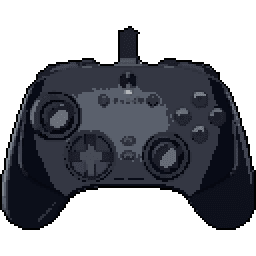
Razer Wolverine V3 TE 8K


Razer Wolverine V3 TE 8K Input lag comparison
| # | Connection | Mode | LatencyAverage (ms) | Polling RateMedian (Hz) | Jitter | OSBuild ver. | FWTester ver. | |
|---|---|---|---|---|---|---|---|---|
| Latency P82 | ||||||||
1 | Cable PRIMARY | XInput | 2.21 6.45 | 6451.61 | 0.35 0.56 | Win 11 10.0.26100 | 1.0.13.0 5.2.3.1 | |
Stick LatencyP82 ✓ Selected 5.38 ms 6.45 ms 9.93 ms 0.56 ms 6451.61 Hz | ||||||||
2 | Cable | DInput | 2.21 7.65 | 4950.5 | 0.39 0.51 | Win 11 10.0.26100 | 1.1.0.1 5.2.3.1 | |
Stick LatencyP82 6.56 ms 7.65 ms 9.94 ms 0.51 ms 4950.5 Hz | ||||||||
3 | Cable | Sony | 3.41 4.47 | 8000 | 0.41 0.40 | Win 10 10.0.19045 | 1.2.2.0 5.3.0.2 | |
Stick LatencyP82 3.82 ms 4.47 ms 5.36 ms 0.4 ms 8000 Hz |
Latency
Our visualization focuses on Average Latency, presented as vertical bars to make comparing performance across different connection modes (Wired, Bluetooth, Dongle) instant and intuitive.
The chart differentiates between:
- Button Latency: How quickly the game registers a physical button press.
- Stick Latency: The delay in registering joystick movement (tested at 99% deflection).
Visualizing Stability (Jitter)
You may notice that the top portion of some bars is semi-transparent or "faded". This represents Jitter (instability):
- Solid Bar: Represents the stable, consistent average latency.
- Faded Top: Indicates the variance. A larger transparent area means higher jitter, implying the controller's response time fluctuates. A solid bar with little to no fading indicates a highly stable connection.
Deep Dive: Click the arrow to reveal Probability Distribution Charts. These show the exact breakdown of every input tested, displaying Probability (%) on the Y-axis and Latency (ms) on the X-axis.
Polling Rate vs. Latency
It is crucial to understand that Polling Rate and Latency are measured using two entirely different methodologies on our site:
- Latency (ms) is measured by the Prometheus 82 hardware. It captures the physical movement of the stick or button via hardware interrupts with microsecond precision. This is the "real-world" delay.
- Polling Rate (Hz) is measured via a Software Tool. It shows how often the OS receives reports from the USB stack.
Common Myth: A higher polling rate (like 8000 Hz) does not automatically guarantee lower latency if the controller's internal processing is slow. Conversely, a high polling rate on a chart might show fluctuations (e.g., 7800Hz instead of 8000Hz) due to OS jitter or CPU scheduling, which does not necessarily impact the hardware latency measured by the P82.
To test your own gamepad's polling rate, you can use our tool: Download Polling Rate Tester.
Testing Methods
Gamepadla ensures data integrity by combining three distinct testing methodologies:
-
Prometheus 82 (P82): Our gold standard. A custom-built hardware device that physically actuates buttons and sticks. It uses high-speed hardware interrupts to capture events, making it independent of the controller's polling rate. It provides an error margin of only ±1ms for buttons and sticks. View on GitHub.
-
GPDL Tester: An electrical monitoring tool for highly accurate button latency. While P82 simulates human-like mechanical movement, GPDL focuses on the electrical signal speed. View on GitHub.
-
Software Polling Test: A pure software diagnostic to check communication frequency. We use this to verify if a controller actually reaches its advertised specs (e.g., 1000Hz or 8000Hz) at the OS level. Download Software.
Note: By comparing hardware-level latency (P82) with software-level reports (Polling Test), we can identify if a controller has "fake" high polling rates or poorly optimized firmware.
Stick test of Razer Wolverine V3 TE 8K
Stick Movement Linearity Test
Linearity test for Razer Wolverine V3 TE 8K • Firmware 1.1.0.0 • Stick Analyzer 2.0.3.0 • Cable connection • Xinput mode • Manual Input. Uploaded, by Beaste_
Comment: 2000hz
Stick Motion Resolution Analysis
This test evaluates the analog stick's ability to register unique positions during a controlled, linear motion from the center to the edge of its range. The analysis was conducted using the Line program, ensuring precise measurement of the stick's resolution, linearity, and response characteristics.
Data Points
Data Points represents the total number of unique positions registered during the smooth movement of the stick from center to edge. This includes both the stable analog values and positions affected by signal processing or jitter. In this test, we recorded 2797 data points, which is an excellent result that indicates very precise stick movement registration. For a more accurate assessment of stick precision, it's important to also consider the Straight Points metric, which filters out noise and signal processing artifacts.
Straight Points
Straight Points represent the number of unique positions detected after filtering out tremor and signal processing artifacts during stick movement. This filtering process identifies points that follow a consistently increasing trajectory, showing the true analog values without noise. The test registered 1942 straight points. This is an excellent result, indicating very smooth and precise stick movement. This value highlights the stick's ability to provide stable and reliable position data during smooth motion.
Resolution
Resolution in this test refers to two complementary measurements:
Total Resolution: 2064 positions across the entire stick range. This number represents how many distinct positions the analog stick can detect from center to edge. This might result in somewhat stepped or less smooth movement
Step Resolution: 0.00048 per increment. This value represents the average size of each step between detected positions (smaller values indicate higher precision). It determines how smoothly the stick can transition between positions, which directly impacts precise aiming and subtle movements in games.
A high total resolution combined with a low step resolution provides the optimal experience for precise control in games requiring fine adjustments.
Tremor
Tremor percentage represents the amount of signal processing that occurs between raw stick movement and the final output. It is calculated as the percentage of data points that don't follow a consistently increasing trajectory. The test measured 30.6% tremor. This higher percentage indicates more active signal processing, which is a characteristic of how this stick handles movement data. Different controllers have different signal processing characteristics, and lower tremor values typically indicate more direct translation of physical movement.
Linearity
Linearity represents how closely the stick movement follows an ideal linear path. It's calculated as 100% minus the nonlinearity percentage, where nonlinearity measures deviations from a perfectly straight line. The test measured 93.3% linearity. This indicates excellent stick linearity, providing consistent and predictable movement.
At the same time, a gamepad stick is not a perfectly linear mechanical system. The stick rotates around a pivot, the cap travels along an arc, and the sensor reads that rotational movement rather than a truly straight physical path. Because of this, a graph that bends slightly below the ideal straight line is often normal. In many cases, that lower arc-like bow reflects the real mechanics of the stick more faithfully than a response that was tuned mainly to look perfectly straight in this specific test.
What matters most is that the movement remains smooth, progressive, and predictable. A mild, even downward curve can be acceptable or even technically more natural, while sharp dips, waviness, uneven acceleration, or asymmetry still indicate worse response quality.
Test Duration
The time taken to complete the test was 6.77 seconds. This is an optimal test duration, providing reliable results. For the most accurate results, the stick movement should be smooth and controlled, typically taking between 5 and 8 seconds.
Linearity test for Razer Wolverine V3 TE 8K • Firmware Not Supported • Stick Analyzer 2.0.3.0 • Cable connection • Xinput mode • Manual Input. Uploaded, by 赵培森
Comment: 4000
Stick Motion Resolution Analysis
This test evaluates the analog stick's ability to register unique positions during a controlled, linear motion from the center to the edge of its range. The analysis was conducted using the Line program, ensuring precise measurement of the stick's resolution, linearity, and response characteristics.
Data Points
Data Points represents the total number of unique positions registered during the smooth movement of the stick from center to edge. This includes both the stable analog values and positions affected by signal processing or jitter. In this test, we recorded 486 data points, which is an excellent result that indicates very precise stick movement registration. For a more accurate assessment of stick precision, it's important to also consider the Straight Points metric, which filters out noise and signal processing artifacts.
Straight Points
Straight Points represent the number of unique positions detected after filtering out tremor and signal processing artifacts during stick movement. This filtering process identifies points that follow a consistently increasing trajectory, showing the true analog values without noise. The test registered 332 straight points. This is an excellent result, indicating very smooth and precise stick movement. This value highlights the stick's ability to provide stable and reliable position data during smooth motion.
Resolution
Resolution in this test refers to two complementary measurements:
Total Resolution: 351 positions across the entire stick range. This number represents how many distinct positions the analog stick can detect from center to edge. This might result in somewhat stepped or less smooth movement
Step Resolution: 0.00285 per increment. This value represents the average size of each step between detected positions (smaller values indicate higher precision). It determines how smoothly the stick can transition between positions, which directly impacts precise aiming and subtle movements in games.
A high total resolution combined with a low step resolution provides the optimal experience for precise control in games requiring fine adjustments.
Tremor
Tremor percentage represents the amount of signal processing that occurs between raw stick movement and the final output. It is calculated as the percentage of data points that don't follow a consistently increasing trajectory. The test measured 31.7% tremor. This higher percentage indicates more active signal processing, which is a characteristic of how this stick handles movement data. Different controllers have different signal processing characteristics, and lower tremor values typically indicate more direct translation of physical movement.
Linearity
Linearity represents how closely the stick movement follows an ideal linear path. It's calculated as 100% minus the nonlinearity percentage, where nonlinearity measures deviations from a perfectly straight line. The test measured 94.6% linearity. This indicates excellent stick linearity, providing consistent and predictable movement.
At the same time, a gamepad stick is not a perfectly linear mechanical system. The stick rotates around a pivot, the cap travels along an arc, and the sensor reads that rotational movement rather than a truly straight physical path. Because of this, a graph that bends slightly below the ideal straight line is often normal. In many cases, that lower arc-like bow reflects the real mechanics of the stick more faithfully than a response that was tuned mainly to look perfectly straight in this specific test.
What matters most is that the movement remains smooth, progressive, and predictable. A mild, even downward curve can be acceptable or even technically more natural, while sharp dips, waviness, uneven acceleration, or asymmetry still indicate worse response quality.
Test Duration
The time taken to complete the test was 6.07 seconds. This is an optimal test duration, providing reliable results. For the most accurate results, the stick movement should be smooth and controlled, typically taking between 5 and 8 seconds.
Linearity test for Razer Wolverine V3 TE 8K • Firmware 2.3.0.3 • Stick Analyzer 2.3.0.3 • Cable connection • Xinput mode • Manual Input. Uploaded, by Cornell J Spence
Stick Motion Resolution Analysis
This test evaluates the analog stick's ability to register unique positions during a controlled, linear motion from the center to the edge of its range. The analysis was conducted using the Line program, ensuring precise measurement of the stick's resolution, linearity, and response characteristics.
Data Points
Data Points represents the total number of unique positions registered during the smooth movement of the stick from center to edge. This includes both the stable analog values and positions affected by signal processing or jitter. In this test, we recorded 3123 data points, which is an excellent result that indicates very precise stick movement registration. For a more accurate assessment of stick precision, it's important to also consider the Straight Points metric, which filters out noise and signal processing artifacts.
Straight Points
Straight Points represent the number of unique positions detected after filtering out tremor and signal processing artifacts during stick movement. This filtering process identifies points that follow a consistently increasing trajectory, showing the true analog values without noise. The test registered 1402 straight points. This is an excellent result, indicating very smooth and precise stick movement. This value highlights the stick's ability to provide stable and reliable position data during smooth motion.
Resolution
Resolution in this test refers to two complementary measurements:
Total Resolution: 1490 positions across the entire stick range. This number represents how many distinct positions the analog stick can detect from center to edge. This might result in somewhat stepped or less smooth movement
Step Resolution: 0.00067 per increment. This value represents the average size of each step between detected positions (smaller values indicate higher precision). It determines how smoothly the stick can transition between positions, which directly impacts precise aiming and subtle movements in games.
A high total resolution combined with a low step resolution provides the optimal experience for precise control in games requiring fine adjustments.
Tremor
Tremor percentage represents the amount of signal processing that occurs between raw stick movement and the final output. It is calculated as the percentage of data points that don't follow a consistently increasing trajectory. The test measured 55.1% tremor. This higher percentage indicates more active signal processing, which is a characteristic of how this stick handles movement data. Different controllers have different signal processing characteristics, and lower tremor values typically indicate more direct translation of physical movement.
Linearity
Linearity represents how closely the stick movement follows an ideal linear path. It's calculated as 100% minus the nonlinearity percentage, where nonlinearity measures deviations from a perfectly straight line. The test measured 94.3% linearity. This indicates excellent stick linearity, providing consistent and predictable movement.
At the same time, a gamepad stick is not a perfectly linear mechanical system. The stick rotates around a pivot, the cap travels along an arc, and the sensor reads that rotational movement rather than a truly straight physical path. Because of this, a graph that bends slightly below the ideal straight line is often normal. In many cases, that lower arc-like bow reflects the real mechanics of the stick more faithfully than a response that was tuned mainly to look perfectly straight in this specific test.
What matters most is that the movement remains smooth, progressive, and predictable. A mild, even downward curve can be acceptable or even technically more natural, while sharp dips, waviness, uneven acceleration, or asymmetry still indicate worse response quality.
Test Duration
The time taken to complete the test was 19.06 seconds. The test duration was longer than necessary, but this shouldn't significantly affect the results. For the most accurate results, the stick movement should be smooth and controlled, typically taking between 5 and 8 seconds.
Razer Wolverine V3 TE 8K specifications
Internal
External
Features
Connection
Software
Platforms


User comments
I'm a big fan of my V2, but the disconnect issues are a major letdown. I've got two of them on different PCs, all Razer peripherals, and it's happened way too often. The RGB software doesn't help, so I'm hesitant to buy Razer again.
Not sure how they can justify calling this thing ergonomic when the paddles are spaced so far apart, it's a weird design choice for a controller that's otherwise pretty solid.
The paddle spacing is indeed strange. It seems they prioritized other features but overlooked ergonomics, which is disappointing for an otherwise solid controller.
The paddle spacing might feel off, but Razer's quality is solid overall! It’s strange how some focus on that instead of the controller's strengths. Who keeps three faulty products without returning them?
@Oliver Ford 46 I agree, the paddle spacing is indeed awkward. It's disappointing when a controller has great features but sacrifices ergonomics, as that can impact gameplay comfort and performance.
Razer's longevity has been a mixed bag for me - most of their products seem to have a short lifespan, usually lasting around 6 years tops.
Dude, I get it, but I've had my trusty old Logitech G502 for like 7 years now and it's still going strong - 1000 Hz polling rate, zero drift, I'm good.
I was able to fine-tune the controller's analog sticks to my liking through the Razer Synapse software, which offers a level of customization for users.
Why does it say that the stick latencies for the 'Razer Wolverine V3 Pro'(2.22ms) and 'Razer Wolverine V3 TE'(6.45ms) are so different when wired? Isnt the only difference supposed to be wired/wireless?
I'm not sold on the ergonomic claim, especially with the paddles feeling a bit flimsy. I've had great luck with my Vader4 Pro, which outperforms my Scuf controllers and is a more budget-friendly option.
The paddles on the Razer Wolverine V3 TE do feel flimsy, and I get what you mean. The Vader4 Pro definitely holds its ground, especially for a budget option.
I agree; the ergonomics can feel off, especially with the paddles. The Vader4 Pro does seem like a solid choice, especially for the price compared to more expensive options like Scuf.
Same thing happened with my order, paddles snapped off, which is pretty disappointing considering the price point and the fact that I was expecting a higher level of quality control from Razer.
I'm really confused why people settle for this controller when it only offers remappable face buttons. The 'TE' part of its name made me expect way more customization options, but it's just a standard layout with some fancy button swapping.
Razer's got their quality down pat, as usual.
I was expecting you to mention the hall effect sticks, but you didn't. Are they really that much better than the old ones?
my old 8bitdo's still going strong after 10 years with no issues, it's surprising they can't match that level of quality control with the razer wolverine v3 te 8k, you'd think they'd have it down by now
Not buying into Razer's Xbox line again after my V2 failed with a dead X button, worn-out stick rubber, and a left bumper that required too much pressure. Now my V3 TE 8K disconnects randomly, sometimes showing it's on but not registering input.
Completely agree with the OC issues, had a terrible time with it, same problems I've seen with other Razer gear. What's the deal with the paddle comfort on this thing?
I've had issues with Razer's keyboard and mouse, but their headsets have always lasted. This one's going on the don't buy list, unfortunately.
I'm not convinced the Razer Wolverine V3 TE 8K is worth the hassle, Amazon's return policy is a mess, they sell open box returns as new, order from a reputable seller and if it's still a problem, maybe it's time to switch brands.
I've lost faith in Razer's quality control, especially with their software. I'm happy with my Xbox Elite controller, it's the best I've ever used, and it connects instantly via Bluetooth, no fuss.
dude, you think 67hz is bad? at least it's not 500ms lag like some other controllers I know, and btw, Elite's got a 30m range, not exactly 'no fuss' when you're gaming in the living room.
I'm really skeptical about Razer's track record with their products - I've had issues with longevity and quality control in the past, and it's hard to trust that the Wolverine V3 TE 8K will be any different.
I'm a bit skeptical about the new design, still really fond of my Razer Wolverine Ultimate. Does the TE 8K's feel differ significantly from my old one, or is it just a cosmetic update?
I've had my share of razer gear issues in the past and it sounds like the V3 TE 8k is no different, especially with that new design. Guess I'll be checking out the Nacon Revolution Unlimited instead.
Dude, I'm with you, but if you bought something that doesn't work, just RMA it, it's not that hard. Don't give up on it after a day, at least let support try to fix it, you never know what the issue is.
Had a string of issues with Razer gear in the past, like a faulty keyboard and a headset with poor sound quality. It soured me on the brand, so I've since avoided buying their products, even when they're on deep discount.
The new design of the V3 TE 8K feels off to me, especially compared to my old Wolverine Ultimate. It's been 3 years and my old one started to show signs of drift, so I upgraded, but the new one's plastic feels off.
I'd recommend checking out the Nacon Revolution Unlimited, it's a solid option that I recently picked up for the same price as the Wolverine V3. The Revolution X won me over, offering much more value for the cost.
Not sure what the appeal is for Razer's controllers when they often feel like a gamble in terms of quality and performance.
It seems to me that there are sometimes two separate teams developing Razer products. One team makes quality products, while the other seems to be making products for Temu. That's why I always check reviews first.
Logitech definitely has a solid lead when it comes to controller design and build quality. This Razer Wolverine V3 TE 8K feels solid but its durability is still a concern for me.
Razer's track record with controllers has been hit or miss for me - their peripherals like mice and keyboards are solid, but it's a different story with other products.
I've been really impressed with the ergonomics and design of the V2 Chroma and V3 Pro, especially the double-domed sticks. It's a shame they're not a standard feature in all Razer controllers, which is why I looked into third-party alternatives like the Flydigi Apex5.
I've had inconsistent experiences with Razer's quality control, such as the Naga's thumbpad keyswitches failing after heavy use and the Naga Pro's scroller wheel malfunctioning over time.
Does anyone know if ps5 kontrolfreeks fit?