



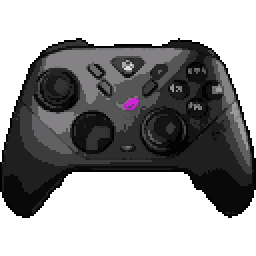
ROG Raikiri II


ROG Raikiri II Input lag comparison
| # | Connection | Mode | LatencyAverage (ms) | Polling RateMedian (Hz) | Jitter | OSBuild ver. | FWTester ver. | |
|---|---|---|---|---|---|---|---|---|
| Latency P82 | ||||||||
1 | Cable PRIMARY | XInput | 2.38 11.0 | 999 | 0.34 0.54 | Win 11 10.0.26200 | 3.14.03.12 5.2.3.6 | |
Stick LatencyP82 ✓ Selected 9.98 ms 10.96 ms 12.56 ms 0.54 ms 999 Hz | ||||||||
2 | Cable | XInput | 2.24 22.4 | 1000 | 0.42 0.59 | Win 11 10.0.26200 | 3.22.03.19 5.2.3.6 | |
Stick LatencyP82 21.25 ms 22.39 ms 23.89 ms 0.59 ms 1000 Hz | ||||||||
3 | Dongle PRIMARY | XInput | 4.21 13.6 | 994.04 | 0.58 0.82 | Win 11 10.0.26200 | 3.14.03.12 5.2.3.6 | |
Stick LatencyP82 ✓ Selected 12.12 ms 13.59 ms 15.79 ms 0.82 ms 994.04 Hz | ||||||||
4 | Dongle | XInput | 4.61 25.1 | 1000 | 0.44 0.86 | Win 11 10.0.26200 | 3.00.07.00 5.2.3.6 | |
Stick LatencyP82 23.38 ms 25.06 ms 27.52 ms 0.86 ms 1000 Hz | ||||||||
5 | Cable | XInput | 7.58 27.4 | 250 | 3.13 1.47 | Win 11 10.0.26200 | 3.22.03.19 5.2.3.6 | |
Stick LatencyP82 24.24 ms 27.38 ms 30.59 ms 1.47 ms 250 Hz | ||||||||
6 | Dongle | XInput | 10.3 27.1 | 250 | 3.46 1.87 | Win 11 10.0.26200 | 3.00.07.00 5.2.3.6 | |
Stick LatencyP82 24.24 ms 27.12 ms 31.76 ms 1.87 ms 250 Hz | ||||||||
7 | Bluetooth PRIMARY | XInput | 14.1 23.3 | 133.23 | 3.08 3.04 | Win 11 10.0.26200 | 3.14.03.12 5.2.3.6 | |
Stick LatencyP82 ✓ Selected 17.13 ms 23.28 ms 29.58 ms 3.04 ms 133.23 Hz |
Latency
Our visualization focuses on Average Latency, presented as vertical bars to make comparing performance across different connection modes (Wired, Bluetooth, Dongle) instant and intuitive.
The chart differentiates between:
- Button Latency: How quickly the game registers a physical button press.
- Stick Latency: The delay in registering joystick movement (tested at 99% deflection).
Visualizing Stability (Jitter)
You may notice that the top portion of some bars is semi-transparent or "faded". This represents Jitter (instability):
- Solid Bar: Represents the stable, consistent average latency.
- Faded Top: Indicates the variance. A larger transparent area means higher jitter, implying the controller's response time fluctuates. A solid bar with little to no fading indicates a highly stable connection.
Deep Dive: Click the arrow to reveal Probability Distribution Charts. These show the exact breakdown of every input tested, displaying Probability (%) on the Y-axis and Latency (ms) on the X-axis.
Polling Rate vs. Latency
It is crucial to understand that Polling Rate and Latency are measured using two entirely different methodologies on our site:
- Latency (ms) is measured by the Prometheus 82 hardware. It captures the physical movement of the stick or button via hardware interrupts with microsecond precision. This is the "real-world" delay.
- Polling Rate (Hz) is measured via a Software Tool. It shows how often the OS receives reports from the USB stack.
Common Myth: A higher polling rate (like 8000 Hz) does not automatically guarantee lower latency if the controller's internal processing is slow. Conversely, a high polling rate on a chart might show fluctuations (e.g., 7800Hz instead of 8000Hz) due to OS jitter or CPU scheduling, which does not necessarily impact the hardware latency measured by the P82.
To test your own gamepad's polling rate, you can use our tool: Download Polling Rate Tester.
Testing Methods
Gamepadla ensures data integrity by combining three distinct testing methodologies:
-
Prometheus 82 (P82): Our gold standard. A custom-built hardware device that physically actuates buttons and sticks. It uses high-speed hardware interrupts to capture events, making it independent of the controller's polling rate. It provides an error margin of only ±1ms for buttons and sticks. View on GitHub.
-
GPDL Tester: An electrical monitoring tool for highly accurate button latency. While P82 simulates human-like mechanical movement, GPDL focuses on the electrical signal speed. View on GitHub.
-
Software Polling Test: A pure software diagnostic to check communication frequency. We use this to verify if a controller actually reaches its advertised specs (e.g., 1000Hz or 8000Hz) at the OS level. Download Software.
Note: By comparing hardware-level latency (P82) with software-level reports (Polling Test), we can identify if a controller has "fake" high polling rates or poorly optimized firmware.
Stick test of ROG Raikiri II
Stick test results for ROG Raikiri II gamepad, by LJ Lee
Comment: Sticks properly calibrated before testing
Errors Panel
Inner Deadzone
The Inner Deadzone is the area around the center of the stick where small movements are not registered. This helps prevent stick drift or accidental inputs, but if the deadzone is too large, it can make aiming less precise, especially in games requiring fine control. We evaluate the Inner Deadzone based on how much you need to move the stick before it responds - the less movement required, the better.
The ROG Raikiri II has no Inner Deadzone. The stick responds immediately to even the slightest movement, which is excellent for aiming accuracy and micro-control. This makes it a great choice for precision-heavy games like first-person shooters (e.g., Valorant or Apex Legends).
For comparison, many budget gamepads often have a moderate to large Inner Deadzone, while premium controllers typically aim for a slight or no deadzone for better precision.
Want to learn more? Check out our video explanation of how the Inner Deadzone works.
Outer Deadzone
The Outer Deadzone is the area near the edge of the stick's physical range where you are still deflecting it, but the system already registers the maximum 100% input. As a result, maximum speed (e.g., camera turn) is reached before the stick hits the physical gate. This narrows the effective range for precise aiming and can make edge control feel too sharp or twitchy. The smaller this zone, the better, as it allows you to use the entire physical range of the stick for precise control.
The ROG Raikiri II has a slight Outer Deadzone (0.5 mm). Although 100% input is reached slightly before the physical edge, this difference is minimal and unlikely to be noticeable during actual gameplay.
For comparison, budget gamepads often have moderate to large Outer Deadzones, while premium controllers strive for minimal or no deadzone to maximize control.
Want to learn more? Check out our video explanation of how the Outer Deadzone works.
Stick Asymmetry
Stick Asymmetry measures the consistency of the joystick's response across different directions at partial deflection (~80%) using physical limiters (brackets). This reveals asymmetries that might be hidden by clamping at 100% deflection. A high asymmetry score indicates a problem where for the same physical movement, the reported coordinates are inconsistent. The lower the percentage, the more predictable the stick movements. Lower is better.
For the ROG Raikiri II, the Stick Asymmetry is 5.8% for the left stick and 16.2% for the right stick. Higher values can lead to noticeable inconsistencies, potentially impacting aiming or movement in games.
Testing Methodology: It's crucial to note that this test is performed at partial stick deflection (~80%), using special physical limiters (brackets/clips). Testing at 100% deflection often hides asymmetries because the controller's output is clamped at the maximum value, artificially 'smoothing' the resulting shape. Our method reveals the true performance of the stick in the ranges most critical for gameplay. This precise approach was also utilized by Linus Tech Tips in their controller review.
For comparison, many budget gamepads show asymmetry levels above 30%, while high-end controllers typically stay below 10% for better uniformity.
Learn more about how different gamepads perform in the Stick Asymmetry test and how to conduct such a test in this article. You can learn how to test joystick asymmetry yourself from this video.
Circle Error
Circle Error evaluates how closely the stick’s movement follows a perfect circle. A high Circle Error means the path is more square-like, which can cause inconsistent speeds when moving diagonally - your character might move faster or slower than expected. The lower the percentage, the better, as it ensures smooth, uniform movement in all directions.
For the ROG Raikiri II, the Circle Error is 0.1% for the left stick and 0.1% for the right stick. This is an excellent result, providing smooth, natural diagonal movement similar to premium controllers.
For comparison, budget gamepads often have Circle Errors above 12%, resulting in 'square' feeling sticks, while high-quality ones aim for under 8% for better smoothness.
Want to learn more? Check out our video explanation of how Circle Error impacts performance.
Resolution (Stick Bitness)
Stick Bitness measures the precision of the joystick’s analog input, similar to bit depth in audio. Higher bitness means more distinct positions the stick can register, leading to smoother and more accurate control. Lower bitness can result in 'stepping' or less fluid movement, especially noticeable in slow, precise actions like aiming.
Unlike declared digital resolution, our True Bitness metric is derived from actual physical stick movement, reflecting the usable positions the stick can produce in practice.
The ROG Raikiri II has 12.0 bits on both sticks.
Note: Recorded with an older version before True Bitness.
This corresponds to a measured Step Resolution of 0.00050 on the left stick and 0.00050 on the right. In practical terms, this means the gamepad can register about 2,000 individual steps from the center to the edge (SFC) on the left stick, and 2,000 SFC on the right.
For comparison, many budget gamepads have around 8 bits, while premium ones often exceed 10 bits for superior accuracy.
Want to learn more? Check out our video explanation of how Stick Bitness affects control. It is important to note that the video specifies the resolution of the stick, not the bit depth; the higher the bit depth, the higher the resolution.
Center Error (Stick Centering)
Center Error (also referred to as Stick Centering) measures how accurately the joystick returns to its neutral (center) position after you release it. A low Center Error prevents stick drift - a common issue where your character or camera moves slightly in a game, even when you're not touching the stick. The lower the percentage, the better the centering, and the less likely you are to experience drift.
For the ROG Raikiri II, the Center Error is 5.2% for the left joystick and 4.4% for the right stick. This is a poor result. High center error indicates that the sticks do not reliably return to neutral. Without a built-in inner deadzone to mask this, you will definitely need to apply a significant deadzone in your game settings to prevent stick drift.
This test methodology intentionally employs a more rigorous approach by implementing small-angle deflection and release, which produces the most challenging conditions for stick re-centering. This technique differs from the conventional maximum-deflection method where the stick is pulled to its full range and released, as small-angle deflection better simulates the micro-adjustments typically executed during actual gameplay scenarios, providing more representative data on potential stick drift occurrence during normal use.
Want to learn more? Check out our video explanation of how Center Error works.
Cardinal Snapping
Cardinal Snapping (sometimes referred to as Axis Magnet) is a form of stick processing where the controller's output artificially 'snaps' or clings to the cardinal (horizontal and vertical) axes when the stick passes close to them. While this can make pure horizontal or vertical movements feel perfectly straight, it distorts the natural movement path and makes diagonal aiming or fine steering less predictable.
The ROG Raikiri II shows no Cardinal Snapping. This means the stick does not artificially cling to the horizontal or vertical axes, preserving your real movement path for consistent aiming and natural analog control.
Want to learn more? Check out our video explanation of how Cardinal Snapping affects stick behavior.
Disclaimer
We tested the ROG Raikiri II gamepad using a single unit, so keep in mind that other units of this model might perform slightly better or worse. In most cases, these differences are minor and shouldn’t affect your experience significantly. The results were obtained with the Stick Tracer program, and some values might vary if you use different software or testing methods.
Testing conditions, such as the gamepad’s firmware version (FW: 3.20.03.17) or connection type, can also influence the results. If you have this gamepad, we’d love for you to share your own test results! This will help us build a more comprehensive picture of the ROG Raikiri II’s performance across different units.
Full test results can be viewed on the test page.
Stick test results for ROG Raikiri II gamepad, by LJ Lee
Comment: Left outer deadzone : 1.3mm Right outer deadzone : 2.0mm+
Errors Panel
Inner Deadzone
The Inner Deadzone is the area around the center of the stick where small movements are not registered. This helps prevent stick drift or accidental inputs, but if the deadzone is too large, it can make aiming less precise, especially in games requiring fine control. We evaluate the Inner Deadzone based on how much you need to move the stick before it responds - the less movement required, the better.
The ROG Raikiri II has no Inner Deadzone. The stick responds immediately to even the slightest movement, which is excellent for aiming accuracy and micro-control. This makes it a great choice for precision-heavy games like first-person shooters (e.g., Valorant or Apex Legends).
For comparison, many budget gamepads often have a moderate to large Inner Deadzone, while premium controllers typically aim for a slight or no deadzone for better precision.
Want to learn more? Check out our video explanation of how the Inner Deadzone works.
Outer Deadzone
The Outer Deadzone is the area near the edge of the stick's physical range where you are still deflecting it, but the system already registers the maximum 100% input. As a result, maximum speed (e.g., camera turn) is reached before the stick hits the physical gate. This narrows the effective range for precise aiming and can make edge control feel too sharp or twitchy. The smaller this zone, the better, as it allows you to use the entire physical range of the stick for precise control.
The ROG Raikiri II has a large Outer Deadzone (2.0 mm). A significant portion of the stick's physical range at the edges is 'cut off'. This makes camera or character movement too sharp and significantly restricts control accuracy at high speeds.
For comparison, budget gamepads often have moderate to large Outer Deadzones, while premium controllers strive for minimal or no deadzone to maximize control.
Want to learn more? Check out our video explanation of how the Outer Deadzone works.
Stick Asymmetry
Stick Asymmetry measures the consistency of the joystick's response across different directions at partial deflection (~80%) using physical limiters (brackets). This reveals asymmetries that might be hidden by clamping at 100% deflection. A high asymmetry score indicates a problem where for the same physical movement, the reported coordinates are inconsistent. The lower the percentage, the more predictable the stick movements. Lower is better.
For the ROG Raikiri II, the Stick Asymmetry is 49.2% for the left stick and 39.1% for the right stick. Higher values can lead to noticeable inconsistencies, potentially impacting aiming or movement in games.
Testing Methodology: It's crucial to note that this test is performed at partial stick deflection (~80%), using special physical limiters (brackets/clips). Testing at 100% deflection often hides asymmetries because the controller's output is clamped at the maximum value, artificially 'smoothing' the resulting shape. Our method reveals the true performance of the stick in the ranges most critical for gameplay. This precise approach was also utilized by Linus Tech Tips in their controller review.
For comparison, many budget gamepads show asymmetry levels above 30%, while high-end controllers typically stay below 10% for better uniformity.
Learn more about how different gamepads perform in the Stick Asymmetry test and how to conduct such a test in this article. You can learn how to test joystick asymmetry yourself from this video.
Circle Error
Circle Error evaluates how closely the stick’s movement follows a perfect circle. A high Circle Error means the path is more square-like, which can cause inconsistent speeds when moving diagonally - your character might move faster or slower than expected. The lower the percentage, the better, as it ensures smooth, uniform movement in all directions.
For the ROG Raikiri II, the Circle Error is 0.1% for the left stick and 0.1% for the right stick. This is an excellent result, providing smooth, natural diagonal movement similar to premium controllers.
For comparison, budget gamepads often have Circle Errors above 12%, resulting in 'square' feeling sticks, while high-quality ones aim for under 8% for better smoothness.
Want to learn more? Check out our video explanation of how Circle Error impacts performance.
Resolution (Stick Bitness)
Stick Bitness measures the precision of the joystick’s analog input, similar to bit depth in audio. Higher bitness means more distinct positions the stick can register, leading to smoother and more accurate control. Lower bitness can result in 'stepping' or less fluid movement, especially noticeable in slow, precise actions like aiming.
Unlike declared digital resolution, our True Bitness metric is derived from actual physical stick movement, reflecting the usable positions the stick can produce in practice.
The ROG Raikiri II has 12.0 bits on both sticks.
Note: Recorded with an older version before True Bitness.
This corresponds to a measured Step Resolution of 0.00050 on the left stick and 0.00050 on the right. In practical terms, this means the gamepad can register about 2,000 individual steps from the center to the edge (SFC) on the left stick, and 2,000 SFC on the right.
For comparison, many budget gamepads have around 8 bits, while premium ones often exceed 10 bits for superior accuracy.
Want to learn more? Check out our video explanation of how Stick Bitness affects control. It is important to note that the video specifies the resolution of the stick, not the bit depth; the higher the bit depth, the higher the resolution.
Center Error (Stick Centering)
Center Error (also referred to as Stick Centering) measures how accurately the joystick returns to its neutral (center) position after you release it. A low Center Error prevents stick drift - a common issue where your character or camera moves slightly in a game, even when you're not touching the stick. The lower the percentage, the better the centering, and the less likely you are to experience drift.
For the ROG Raikiri II, the Center Error is 3.8% for the left joystick and 1.1% for the right stick. This is a moderate result. Because this controller has no built-in inner deadzone to hide mechanical imperfections, its natural center error is exposed. You will likely need to configure a small deadzone within game settings (like in Apex Legends) to counteract potential drift.
This test methodology intentionally employs a more rigorous approach by implementing small-angle deflection and release, which produces the most challenging conditions for stick re-centering. This technique differs from the conventional maximum-deflection method where the stick is pulled to its full range and released, as small-angle deflection better simulates the micro-adjustments typically executed during actual gameplay scenarios, providing more representative data on potential stick drift occurrence during normal use.
Want to learn more? Check out our video explanation of how Center Error works.
Cardinal Snapping
Cardinal Snapping (sometimes referred to as Axis Magnet) is a form of stick processing where the controller's output artificially 'snaps' or clings to the cardinal (horizontal and vertical) axes when the stick passes close to them. While this can make pure horizontal or vertical movements feel perfectly straight, it distorts the natural movement path and makes diagonal aiming or fine steering less predictable.
The ROG Raikiri II shows no Cardinal Snapping. This means the stick does not artificially cling to the horizontal or vertical axes, preserving your real movement path for consistent aiming and natural analog control.
Want to learn more? Check out our video explanation of how Cardinal Snapping affects stick behavior.
Disclaimer
We tested the ROG Raikiri II gamepad using a single unit, so keep in mind that other units of this model might perform slightly better or worse. In most cases, these differences are minor and shouldn’t affect your experience significantly. The results were obtained with the Stick Tracer program, and some values might vary if you use different software or testing methods.
Testing conditions, such as the gamepad’s firmware version (FW: 3.14.03.12) or connection type, can also influence the results. If you have this gamepad, we’d love for you to share your own test results! This will help us build a more comprehensive picture of the ROG Raikiri II’s performance across different units.
Full test results can be viewed on the test page.
Stick Movement Linearity Test
ROG Raikiri II specifications
Internal
External
Features
Connection
Software
Platforms


User comments
Not sure how to remap the back buttons to keyboard keys, anyone figure it out yet?
It's the ROG Raikiri II all over again, checking all the right boxes except one - those extra shoulder buttons were worth my day one purchase.
idk, what's the point of extra shoulder buttons if they're just gonna get in the way of your triggers? seems like a design flaw to me.
@Hunter Jenkins 17 I'm playing FPS, those extra buttons are a lifesaver, I map one to reload and the other to switch weapons, keeps my hands on the sticks, kinda hard to explain if you're not used to it.
@Sergei R dude, you're telling me you can't even use the 4 back buttons for that? and you're asking about the extra shoulder buttons? i use the Raikiri II, btw, and it's insane - 8000Hz polling rate, no drift whatsoever.
Dude, you're still dreaming about that elite 2 paddle system, I got news for you, ROG just dropped a new model with better triggers and nothing else changed.
I see your point; those extra shoulder buttons really do make a difference. The Raikiri II has many strengths, but lacking those buttons leaves it feeling less complete compared to competitors with better features.
I agree, those extra shoulder buttons are definitely a standout feature. For me, though, adjustable stick tension is just as important. It’s disappointing when they overlook that key aspect.
@Hunter Jenkins 17 Extra shoulder buttons can be a hassle if they interfere with triggers. Have you had issues with button placement affecting your gameplay?
@Michael Santos I haven't had issues with button placement affecting my gameplay. The extra shoulder buttons actually feel more premium and enhance the experience once you get used to them.
@Michael Santos I haven't had any issues with the extra buttons interfering with my triggers; their placement allows for smooth gameplay without any problems.
@Hunter Jenkins 17 I agree! The button placement is well designed and doesn't interfere with gameplay, allowing for a smooth experience.
do the paddles on this thing affect grip at all? also, can you disable 'em for certain games or would you need to swap 'em out? for example, i'd want 'em on for fps but off for something like rocket league
coming from the elite series 2 it's def an adjustment but you can program the paddles to whatever you want and make different profiles for games that don't use 'em, like rocket league
the paddles don't really affect grip, it's fine. you can disable 'em in the software, so you can turn 'em off for games like rocket league. it's not a hard swap like some other controllers.
@Seven T I had similar issues with my previous controller, so I'm looking forward to the Raikiri II and its customizable paddles and profiles for different games.
@Friendly Fran I don't have advice on replacing bumpers for the Elite 2, but I understand the frustration. The Raikiri II's customizable features should help enhance your gaming experience.
@Friendly Fran The paddles are comfortable once you get used to them, and customizing them for different games definitely enhances gameplay. You’ll likely enjoy that feature!
Bugged out here too, tried to adjust deadzone to 0 or 1 but it's still at the default 10. Anyone else experience this or found a workaround?
You think the deadzone issue is bad? I'm stuck on the website, it won't even recognize my controller. Great job, ROG, you managed to mess up the firmware update.
Nah, still at default deadzone for me too, been messing with it for hours. I tried reinstalling drivers, but nope. I'm starting to think this pad's got some legit issues tbh.
Yeah same here, deadzone's useless. I've tried adjusting it to 0, 1, 5, you name it, still stuck on 10. Rog's marketing said it'd be super precise, guess that's just a lie.
@Leo Clark 93 yeah same here, tried it on a friend's PC and the software still won't change the deadzone. I'm fully updated and I've tried everything, so it's probably a software issue on Asus's end.
@Seven T yeah no way I'm buying it tbh, I need zero deadzone, can't even consider it if I can't adjust it myself, you're still gonna be the guinea pig and let us know if Asus fixes it?
@wheresMyDongle Yea same issue here, played some Battlefield and it felt like I had a delay, thought it was the game at first, but I guess it's just the controller, glad to hear they're fixing it with the next software update.
@Leo Clark 93 The deadzone issue is confirmed, and a fix is coming soon. I'll keep you posted on whether Asus addresses it.
@Peter Gregory It's frustrating that changing settings requires connecting to a PC, and the website is poorly optimized and often fails to save changes. I hope Asus addresses these issues soon.
Does anyone else experience problems with the library and armory crate buttons not registering on their Xbox Ally x setup?
yeah same here, it's like they're just ghosting those buttons, I've tried resetting the pad and reinstalling the drivers, but still no go, anyone else have this issue or am I just being extra paranoid?
yeah it's not just you dude, i've had issues with the library and armory crate buttons not registering on my Xbox Ally X too, super annoying, thought they'd iron out the kinks by now.
@Ocean Breeze Dude, did you try updating the firmware or is that even an option with this pad?
same here dude, AC and Library are both dead on mine, been having this issue since day one, hoping Asus sorts it out with a patch soon, or we'll be stuck with this crap forever.
One thing that's bugging me about this ROG Raikiri II is the lack of a volume control button, it's a small thing but it's something I'd love to see added.
I just updated my ROG Raikiri II to 3.0.20 and it fixed the dead zone and power button issues. I had to reset my thumbsticks in gear link and adjust the dead zone to 0% for optimal performance.
Yeah, dead zones work now but still weird about recalibrating. I set mine to 0% too and it just does its own thing. Anyone else get this? Gear link tool doesn't work like it should.
@Michel Dupont It seems like a bug to me as well. Recalibrating definitely affects the deadzone, especially at 0%. I've tested it multiple times, and it doesn't maintain the setting. Gear link really needs some fixes.
I got my ROG Raikiri II yesterday and I'm having trouble getting it to turn on my Xbox without manually switching it on or using another controller. Works fine otherwise, though.
Try updating the firmware of your controller using Armoury Crate on your PC. This may resolve the issue with it not turning on your Xbox automatically.
Just got my ROG Raikiri II and I'm already experiencing crazy stick drift out of the box. Played for 8 hours before the update, no issues. Update and now both sticks are drifting. Recalibrating doesn't help, this is insane.
Still having deadzone issues, been trying to tweak it for ages, can't believe it's this hard to get right. Firmware update is supposed to fix some bugs, but I'm having trouble even updating it, need to get in touch with ASUS support.
You need to register your device on the ASUS website and then file a support ticket. That should help you with the update issues.
Will I need a dongle to use this thing wirelessly on Xbox, or is it plug-and-play?
Dude, if it's got the Xbox logo on it, it should be plug-and-play, period. Officially licensed, not some adapter crap. Don't quote me wrong on this, I'm pretty sure it's native connection.
@Roman B Not all controllers with the Xbox logo are truly plug-and-play. I have Razer and Victrix controllers that also require a dongle for wireless, so the logo doesn't guarantee a native connection.
This is a must-have for my gaming setup. Been eyeing the Raikiri Pro for ages, glad I'm upgrading to the Raikiri II with all the new features, and the charging dock is a great touch, especially considering the price.
So for your $190, is a normal price for a controller with input delays of 10+ ms?
The dpad on this gamepad is a bit too small for my taste, reminds me of the one on the Ally X, but it's an improvement over that one since it has microswitches.
yeah its pretty similar to the genesis one, tbh it's not a huge deal for me but i can see how it might be a bummer if you're used to bigger d-pads.
Considering the G7 Pro Wireless has gyro for PC and additional top bumper buttons, does this mean it's a more practical choice for PC gamers compared to the Raikiri II?
Dude, yeah, the extra buttons are cool and all, but if you're already having issues with the G7 Pro's right stick, I'd say that's a major red flag for me. Would you trust it for competitive play?
@igor.r Yeah, good point about the right stick issues, but you're acting like the Raikiri II's extra buttons are a problem, not a feature. Unless you're super paranoid about accidental presses, I don't see the issue.
Does the wireless mode on this thing mess up the latency on xbox?
Not sure what's holding it back from being a top-tier controller, but the overall design is really well done, still trying to wrap my head around a few minor quirks though.
One thing that would make this gamepad perfect is if it could handle complex button combos, like registering Up and RT as a single press instead of requiring a separate input for each.
Wtf are those stick assymetry????
It seems that Asus has not yet fully mastered TMR technology.
The author updated the firmware and calibrated the sticks, and now everything is acceptable.